About scrllly
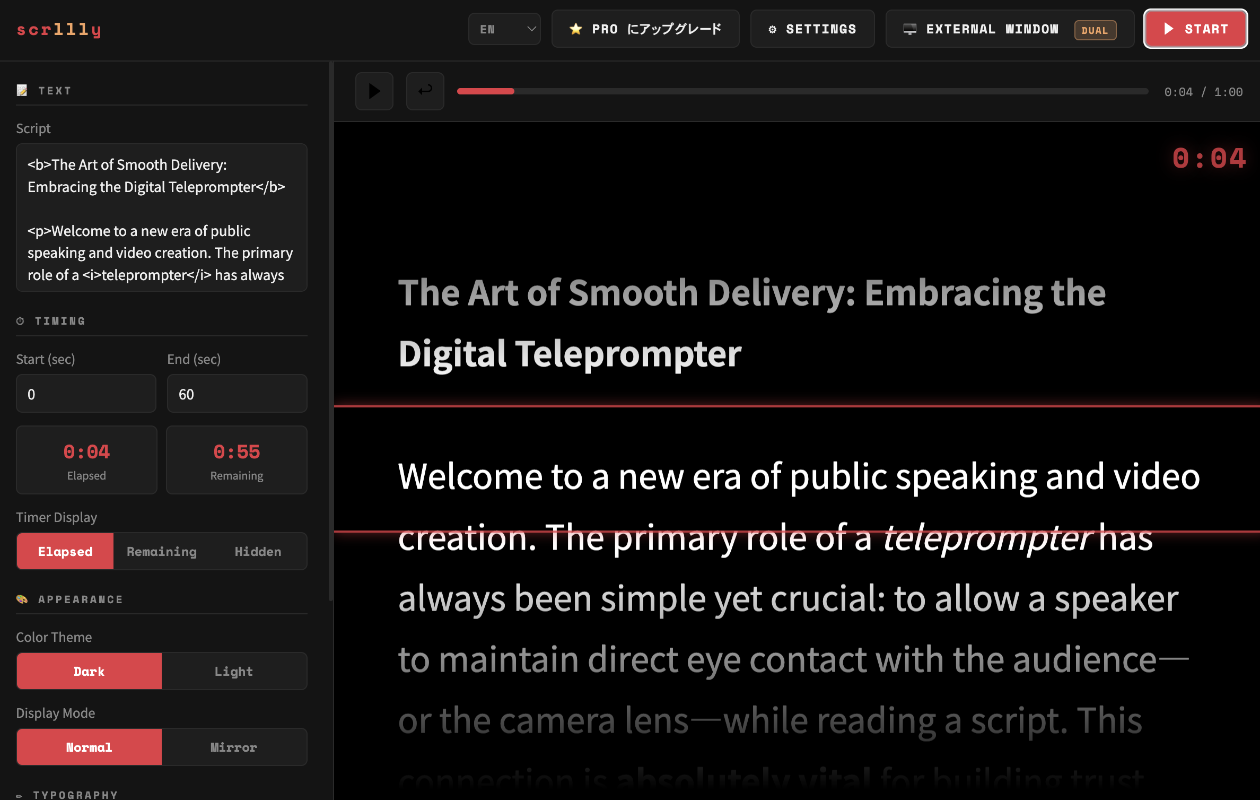
scrllly is a powerful, straightforward teleprompter application designed exclusively for macOS. Whether you are recording a video presentation, giving a live speech, or streaming, scrllly ensures your delivery is flawless and perfectly timed.
Simply paste your script, set the exact duration of your presentation, and scrllly will automatically scroll your text from start to finish. No more guessing your pacing.
Key Features
- Precision Timing: Specify the exact duration in seconds, and the app will scroll the entire script seamlessly within that timeframe.
- Mirror Mode: Flip the text horizontally to use with physical teleprompter glass rigs.
- Customizable Typography: Easily change font types and sizes to ensure perfect readability at any distance.
- Rich Text Highlighting: Supports basic HTML tags like
<b>for bold and<i>for italics, allowing you to emphasize key delivery points. - Quick Skip: Missed a beat? Use the Left and Right arrow keys to instantly skip backward or forward by 5 seconds.
- External Display Support: Output your script directly to an external monitor or teleprompter screen.
- Focus Reading Line: Keep your eyes locked on the right words with an adjustable red indicator line (customizable line width).
- Light & Dark Modes: Choose the theme that fits your environment and reduces eye strain.
- Multilingual Support: Interface available in English, Japanese, Korean, Simplified Chinese, Traditional Chinese, Spanish, and Portuguese.
Pricing
You can use scrllly entirely for free on your Mac's main display for scripts that are 60 seconds or shorter.
For presentations exceeding 60 seconds, or to unlock external display capabilities without limitations, a premium upgrade is required.
Privacy Policy
Last Updated: March 20, 2026
This Privacy Policy explains how scrllly ("the App") handles your data. We believe in keeping things simple and secure.
1. Data Collection
scrllly is a standalone desktop application. We do not collect, store, track, or transmit any personal information, usage analytics, or presentation scripts to our servers or any third parties. All processing happens locally on your Mac.
2. Your Scripts and Files
Any text, scripts, or files you load into scrllly remain entirely on your device. We do not have access to your content.
3. Changes to This Policy
If we update this Privacy Policy to reflect changes in our practices or app features, we will post the updated version on this page.
4. Contact Us
If you have any questions about this Privacy Policy or the app, please contact us via our GitHub repository issues page.